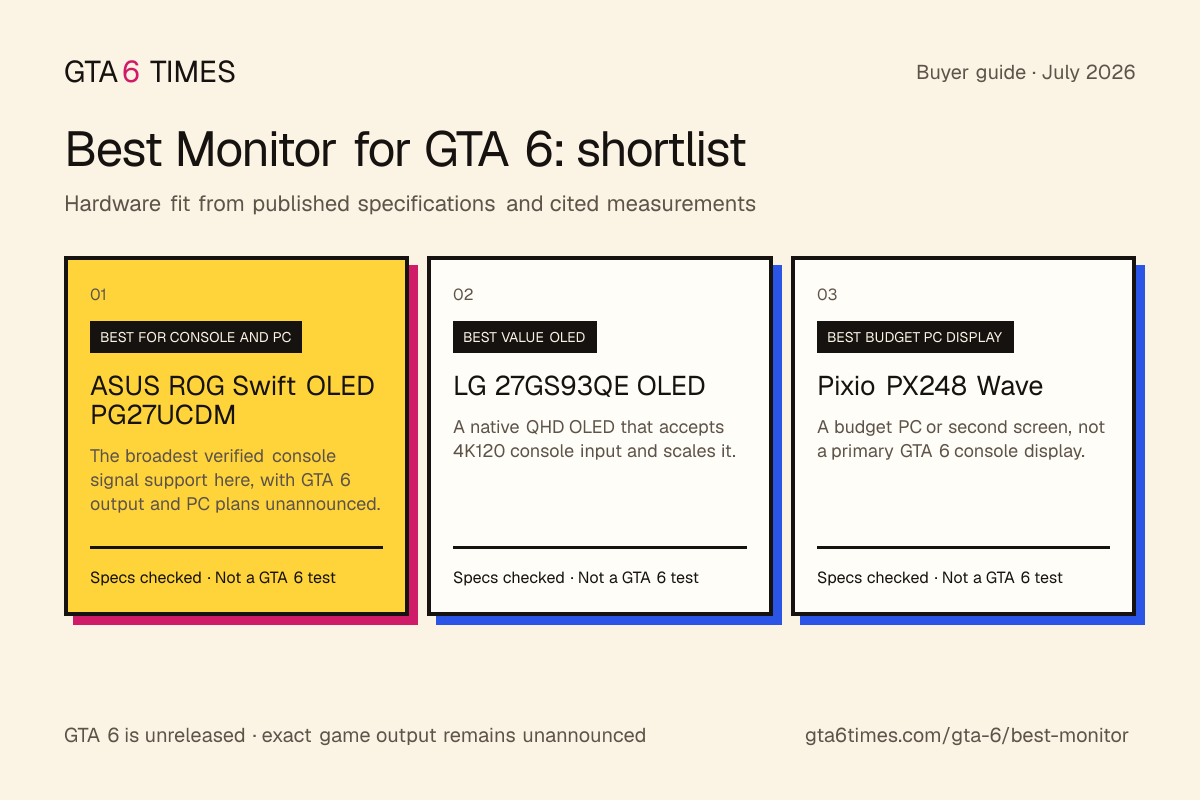
Rockstar has announced GTA 6 for PS5 and Xbox Series X and S. It has not announced a PC edition or the game’s resolution and frame-rate modes. These picks are judged as console displays, with HDMI 2.1 and 4K 120Hz treated as hardware capabilities, not GTA 6 promises.
Check the monitor, console and cable together: HDMI 2.1 can carry 4K 120Hz, VRR and ALLM when the full chain supports them. A 1440p or HDMI 2.0 display can still be useful, but offers a different set of input formats. None of these signal formats is a confirmed GTA 6 rendering mode. Prices move, so check the live price.
An original shortlist built from manufacturer specifications and cited independent measurements. GTA 6 is unreleased, so these are hardware-fit recommendations, not hands-on game tests.
Retailer links are tracked so we can measure what readers find useful. We do not currently earn from these links. If a link becomes paid, we label it clearly. Full disclosure.
Buy it if: You plan to play GTA 6 on a PS5 or Series X at a desk; You also want a high-end PC monitor.
Skip it if: You play from a couch, a TV is better value; You are on a budget.
The monitor accepts 4K120 VRR signals from PS5 and Xbox Series X. Rockstar has not published GTA 6 console modes or announced a PC version, so treat that as display headroom only.
Why we picked it: ASUS’s spec page explicitly lists HDMI 2.1 VRR at 4K120 on PS5 and Xbox Series X, with two full-bandwidth 48Gbps HDMI 2.1 ports.
Buy it if: You want a cheap high-refresh PC screen; You want a second screen beside a console display.
Skip it if: You play GTA 6 on a PS5 or Xbox, use a TV or an HDMI 2.1 monitor instead; You want the sharpest image.
Rockstar has not announced a GTA 6 PC version or timing. For launch, this makes more sense as a chat or map screen beside a PS5 or Xbox display than as a speculative PC purchase.
Why we picked it: Pixio’s spec sheet lists HDMI 2.0 and DisplayPort 1.4 at 200Hz, and PCWorld’s review measured brightness at about 292 nits.
Prices are set by retailers and change often. Any paid link is labeled before you click. Updated July 2026.
Compare them
Pick
Best for
Reasons to buy
Watch out for
ASUS ROG Swift OLED PG27UCDM
You plan to play GTA 6 on a PS5 or Series X at a desk
ASUS lists 4K120 VRR on PS5 and Xbox explicitly; QD-OLED contrast
Premium pricing
LG 27GS93QE OLED
You want OLED at a desk without flagship pricing
HDMI 2.1 with VRR for smooth console play; OLED contrast for far less than 4K OLED
Native QHD panel; accepted 4K signals are scaled rather than displayed pixel-for-pixel
Pixio PX248 Wave
You want a cheap high-refresh PC screen
200Hz at 1080p for very little money; 1ms GTG with Adaptive Sync
HDMI 2.0 only, no 4K120 path for a console
How to choose
Start with the port and the screen size. Rockstar lists PS5 and Xbox Series X and S as the GTA 6 platforms. Consoles connect to monitors over HDMI, and HDMI 2.1 supports signal formats such as 4K at 120Hz with VRR. The ASUS PG27UCDM leads this list because ASUS documents 4K 120Hz VRR input support for PS5 and Xbox Series X. That describes compatibility with the consoles, not how GTA 6 will render.
If flagship money is too much, decide what you will trade. The LG 27GS93QE keeps HDMI 2.1 and OLED contrast but uses a 1440p panel. Its accepted console signals and scaling behavior matter more than a theoretical GTA 6 target. If you sit on a couch instead of at a desk, read the best TV for GTA 6 guide and compare screen size, ports and price.
For a possible future PC edition
Rockstar has not announced a PC edition, release date or requirements. Do not infer a year, resolution or refresh target from earlier Rockstar games. The Pixio PX248 Wave is included as an inexpensive 1080p monitor for current PC use or a second screen, not as a forecast of GTA 6 PC performance. Check our PC requirements page for the official status, and pick an announced launch platform in the best console guide.
Get GTA 6 and monitor deal alertsOne email when a console-ready HDMI 2.1 monitor worth buying drops in price. Nothing else.
Frequently asked questions
What is the best monitor for GTA 6?
GTA 6 is announced for PS5 and Xbox Series consoles, so choose a monitor with the console inputs and screen size you need. The ASUS PG27UCDM supports 4K 120Hz VRR input over HDMI 2.1, while the LG 27GS93QE is our 1440p OLED pick. Those are monitor capabilities, not confirmed GTA 6 output modes.
Can I use a gaming monitor with a PS5 for GTA 6?
Yes. Check that the monitor accepts the resolution, refresh rate and VRR formats you use across your PS5 library. HDMI 2.1 can expose more of the console’s display capability, but Rockstar has not announced GTA 6 resolution or frame-rate modes.
Is a monitor or a TV better for GTA 6?
A monitor usually fits a desk better, while a TV offers a larger screen for couch play. Compare size, input support, latency and price. GTA 6 has no announced display requirement that makes either category mandatory.
What monitor should I get for GTA 6 on PC?
Rockstar has not announced a GTA 6 PC edition, date or system requirements. Do not buy a monitor around a predicted PC launch or performance target. If you need a monitor for current PC games, buy for those needs and revisit GTA 6 when official PC details exist.